
My $0 Monthly Local Agentic Coding Workflow
How I bypassed Cursor's limits and redirected Claude Code to a local inference engine for unlimited tokens.

I’ve been burning through my Cursor monthly limits over the last two weeks. Instead of reflexively hitting “Upgrade” and handing over more monthly recurring revenue, I figured out how to set up a local agentic coding flow.
I did some research and learned to set up Claude Code to run locally. Total cost for extra tokens? $0!
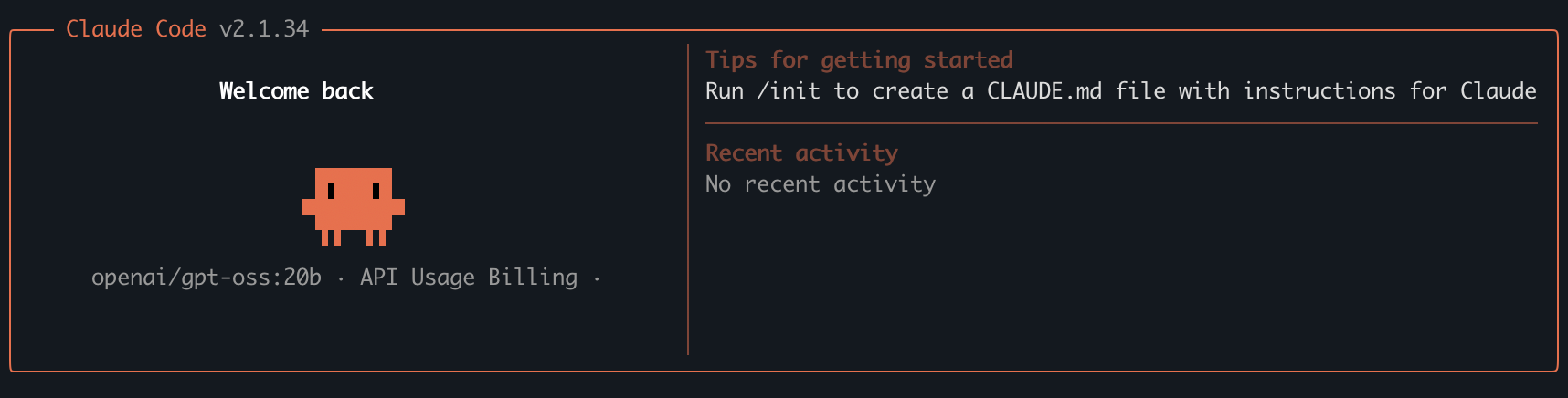
I kept the Anthropic-built terminal interface but redirected the LLM “engine” to my Mac’s hardware. Let me share exactly how it works and how you can set it up.
Local Agentic Flow Architecture
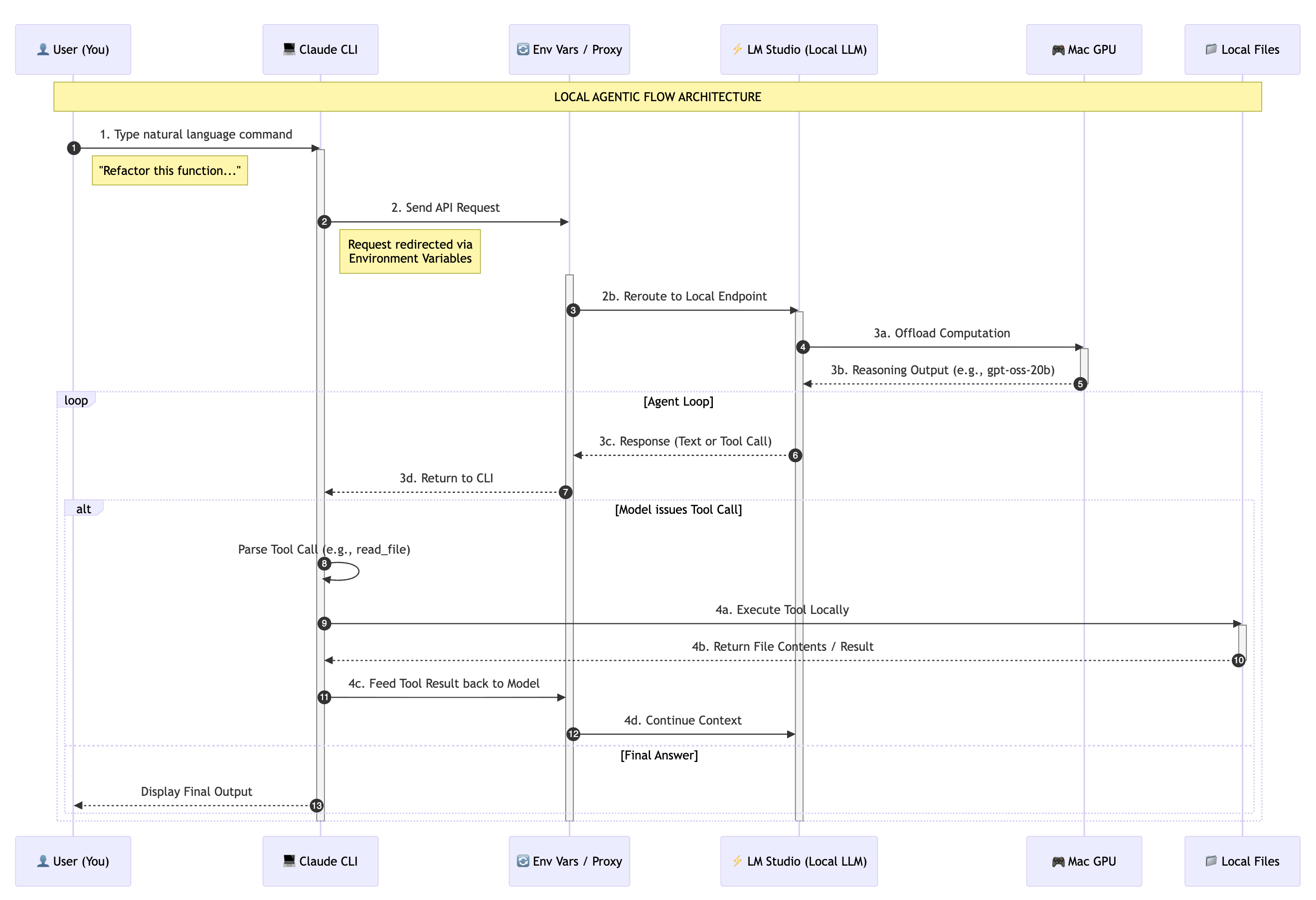
In a standard cloud setup, Claude Code (the interface) communicates directly with Anthropic’s hosted models. In a local setup, we intercept these requests and reroute them to our own hardware.
Capturing Intent: You initiate the process by typing a natural language command into the Claude CLI.
Routing the Request: Instead of hitting the default Anthropic API, the CLI is redirected via environment variables to a local endpoint hosted on your machine.
Local Inference: Your Mac’s hardware takes over. LM Studio receives the request and processes it using the local LLM (like
gpt-oss-20b), utilizing your GPU for real-time reasoning.Execution: The model realizes it needs to see your files. It issues a tool call, which Claude Code executes locally on your machine. The results are then fed back into the model, allowing it to see the outcome and decide on the next step.
Step 1: Setting Up the Inference Engine
To run an AI locally, you need a server that can host the model. I use LM Studio. It’s a clean, user-friendly app that handles the technical heavy lifting like GPU offloading.
Download LM Studio: Grab it at lmstudio.ai and install it on your computer.
Search for a Model: Open the app and click the “Search” icon on the left.
Download Your Model: I’m currently using GPT-OSS-20B, which is optimized for reasoning and agentic tasks.
Step 2: Setting Up the Interface
Once the model is loaded in LM Studio and the server has started, you just need the terminal tools. Install Claude Code if you haven’t already:
npm install -g @anthropic-ai/claude-codeStep 3: The Handshake
This is where we redirect the traffic. By setting these environment variables, you’re telling the Claude CLI to talk to your computer instead of Anthropic’s servers.
# Point to your local LM Studio server
export ANTHROPIC_BASE_URL="<http://127.0.0.1:1234>"
export ANTHROPIC_AUTH_TOKEN="lmstudio"

# Start the agent with the local model of your choice
claude --model openai/gpt-oss:20b --allow-dangerously-skip-permissions
I use the --allow-dangerously-skip-permissions flag because agentic workflows rely on “see and react” loops. If the model has to run ls, then cat four files, then grep, you don’t want to hit “y” seven times. This flag lets the model work at the speed of your hardware.
The Safety Catch: Remember, you are giving an LLM the keys to your terminal. I always work in a clean Git branch. If the agent makes a hallucinated edit I don’t like, a simple git reset --hard brings everything back to normal.
Troubleshooting Tips
The most common reason local agents fail is that they run out of “short-term memory”, technically known as the Context Window.
Here’s an example error that points to this memory problem:
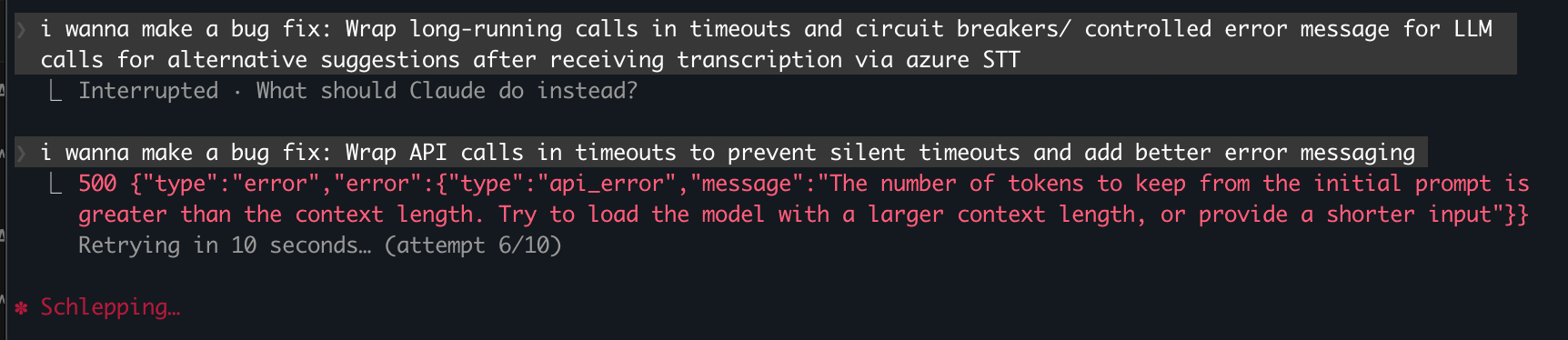
Setting the context window is a balancing act: if you set it too high, the model becomes incredibly slow or crashes your Mac. If you set it too low, the agent “forgets” it just searched a folder, leading to the search loop.
Here is my rule of thumb based on your computer’s RAM:
16GB RAM: Set context to 16,384 (16k). You’ll need to be careful with large files, but this keeps the system snappy.
32GB+ RAM: Set context to 32,768 (32k). I’ve found this to be the “sweet spot” for
gpt-oss-20b. It’s enough to hold a few thousand lines of code and the agent’s recent reasoning steps.64GB+ RAM: You can push to 64k or 128k, but keep in mind that local models often get less coherent the further you push them past their training limits.
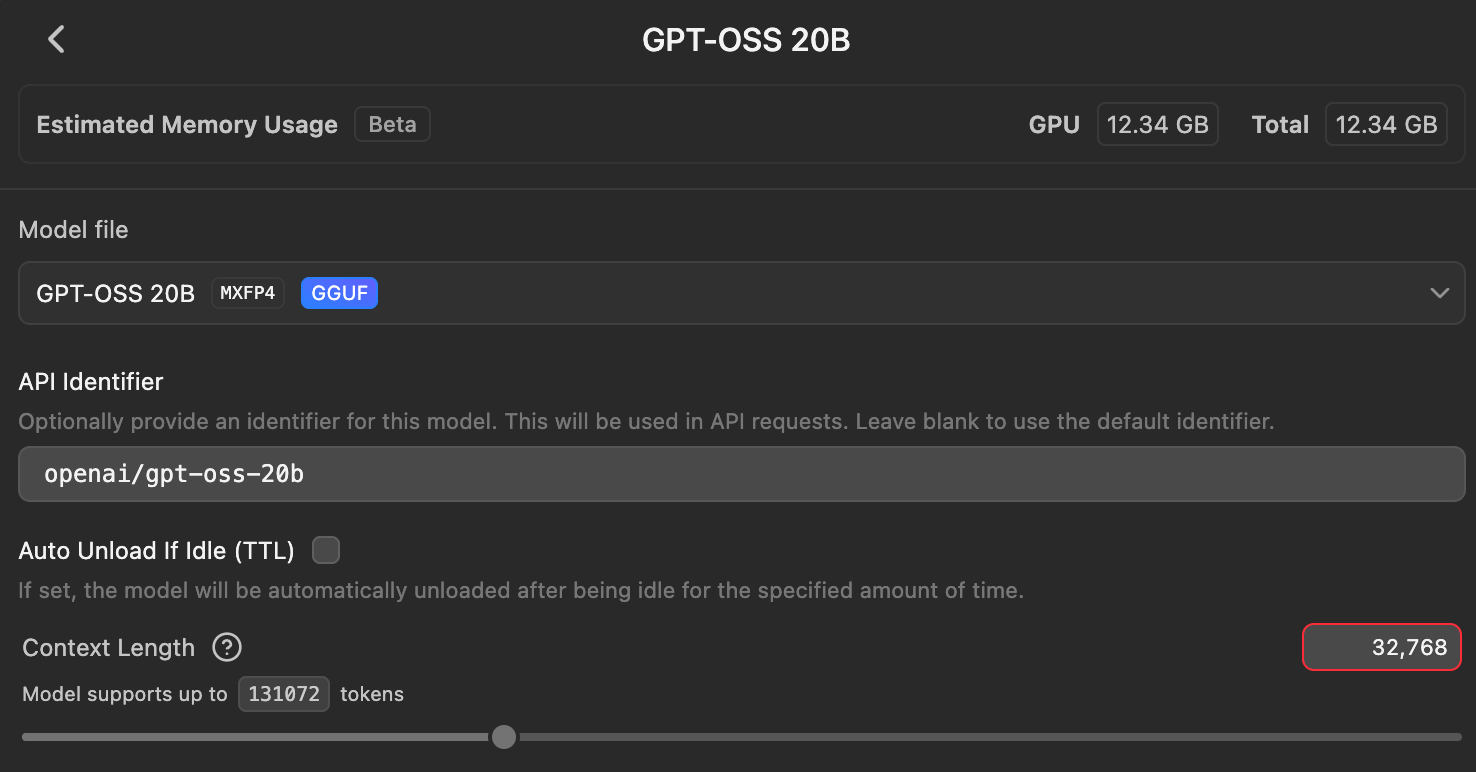
If you see your agent failing with a “Context” error, don’t just increase the number. Run the /compact command in Claude Code, which tells the agent to summarize the conversation so far.
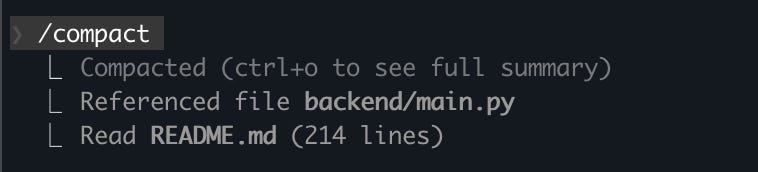
/compact to summarize the session (screenshot by author)How to Break the “Search Loop”
If you’ve tried this, you’ve probably seen the “Search Loop”, where the agent lists your directories over and over without ever actually opening a file.
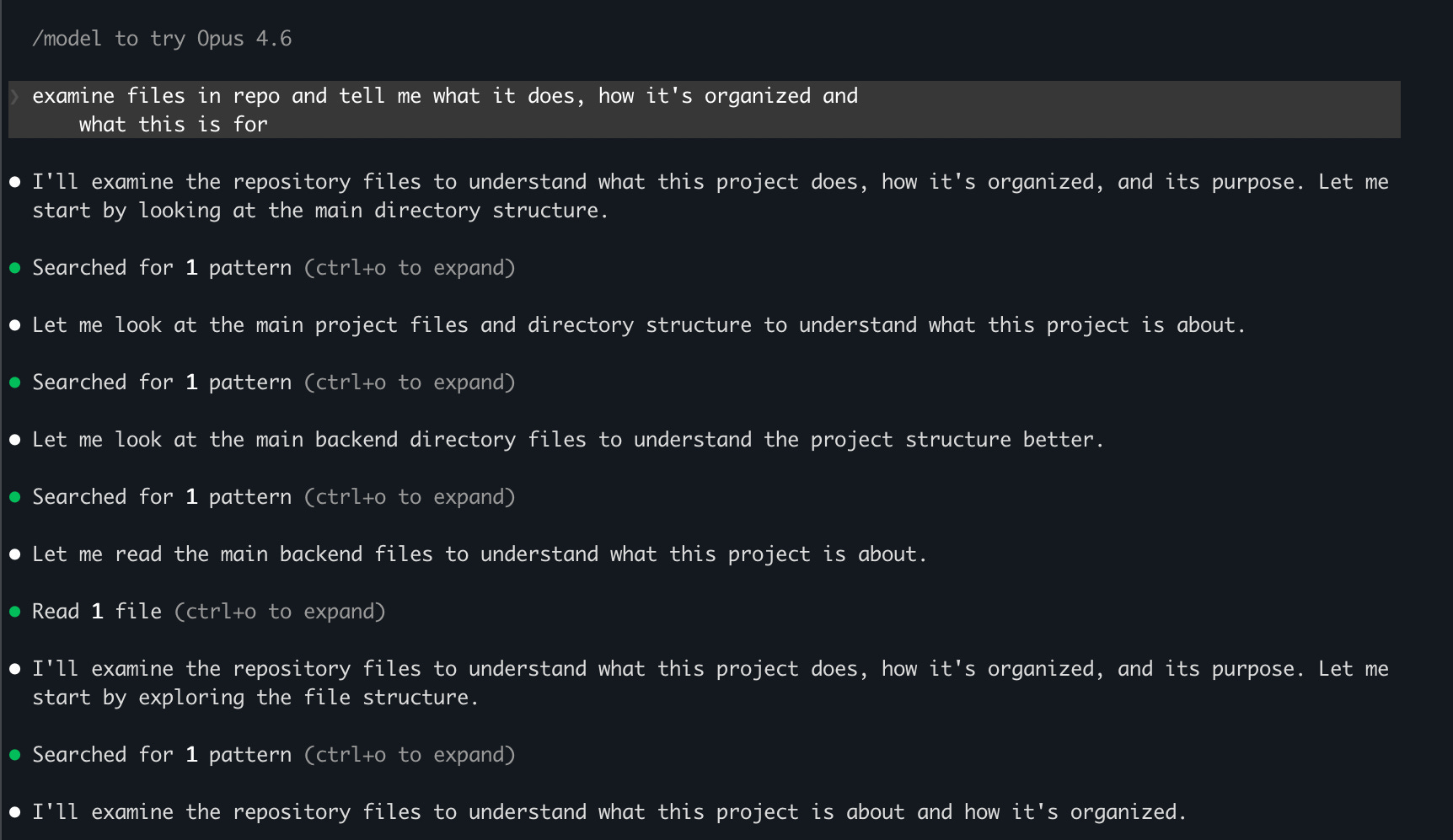
To fix this, I use a custom CLAUDE.md file in my project root. It acts as a guide that the agent reads every time it starts up. Try adding this to your CLAUDE.md:
“When exploring the codebase:
If you see a
README.md, read it immediately instead of listing directories.Do not use the
searchtool more than twice in a row. If you haven’t found what you need, ask me for the specific file path.Once you have a file path, use the
readtool immediately. Do not ‘verify’ the file’s existence multiple times.”
Building This has Changed How I Work
I no longer have to ration my tokens or worry about monthly caps. I just open my terminal and build.
If you decide to try this out, here’s what I’d recommend:
Start with a small folder
Keep your context window sensible for your RAM
Don’t be afraid to kill the process and restart if the agent gets stuck in a loop.
While local inference is a massive win for privacy and cost, it does come with a performance ceiling.
Local models are excellent for standard refactoring and routine updates, but for high-stakes reasoning or massive structural changes, you’ll still want to tap into the raw horsepower of Anthropic’s hosted models.
What’s your current setup? Have you tried using local agentic coding workflows?
I have a Windows 11 Home with 8 GB of RAM and an external NVIDIA GeForce GTX 1050.
The newer Claude Code native installer apparently doesn't run on my pc.
So I'm kind of screwed up cause the prices of laptops with better specs have gone thorugh the roof.
I have Claude Code running inside WSL2 with my claude.ai monthly subscription. Far from optimal but at least I have *something*
Interesting approach. I went the opposite direction - leaned into the API costs and tried to make the agent pay for itself through digital product sales. Different philosophy but both valid.
One thing I'd watch with local models: the quality gap shows up most in multi-step reasoning. When my agent chains 5-6 tool calls in sequence, the margin for error compounds fast. Switched from Opus to Haiku for simple tasks and kept Sonnet for the complex stuff.
Have you tested local models on longer autonomous sequences? Curious where they break down compared to API models.