
My $0 Hermes Agent Setup
I wanted to try Hermes without paying for Portal, so I pointed the agent at NVIDIA's free API tier instead.

I’ve been wanting to try Hermes for a while. It’s an open-source agent from Nous Research with persistent memory and skills across sessions, and you can enable tools to give it access to files, terminal, web, browser etc.
My one constraint was that I didn’t want to pay for (yet) another AI setup before it has proven to be valuable for my workflow, since I already pay for Claude Code and Cursor.
I attempted to run local inference first using the same LM Studio path as my $0 local Claude post, but Hermes needs at least 64,000 tokens of context for tool loops. Unfortunately, my Mac couldn’t hold an agent-sized model at that window.
So I looked for free cloud inference instead. I found NVIDIA’s free API tier, and figured out a setup that cost $0 while I experiment.
Hermes Desktop App + NVIDIA Free Tier
I used the hermes desktop app and NVIDIA’s free API tier. Here’s the step-by-step setup:
Install Hermes Desktop: Download from hermes-agent.nousresearch.com and run the installer.
Pick a model on NVIDIA: Go to build.nvidia.com and create a free NVIDIA Developer account if you don’t have one. Open the model catalog, turn on the free endpoint filter, and select a model.
Get an API key: On the model page, click Generate API Key (top right corner) and go through signup if you’re new. Copy the
nvapi-…key. Note that one key works across the whole catalog, not just the model you opened.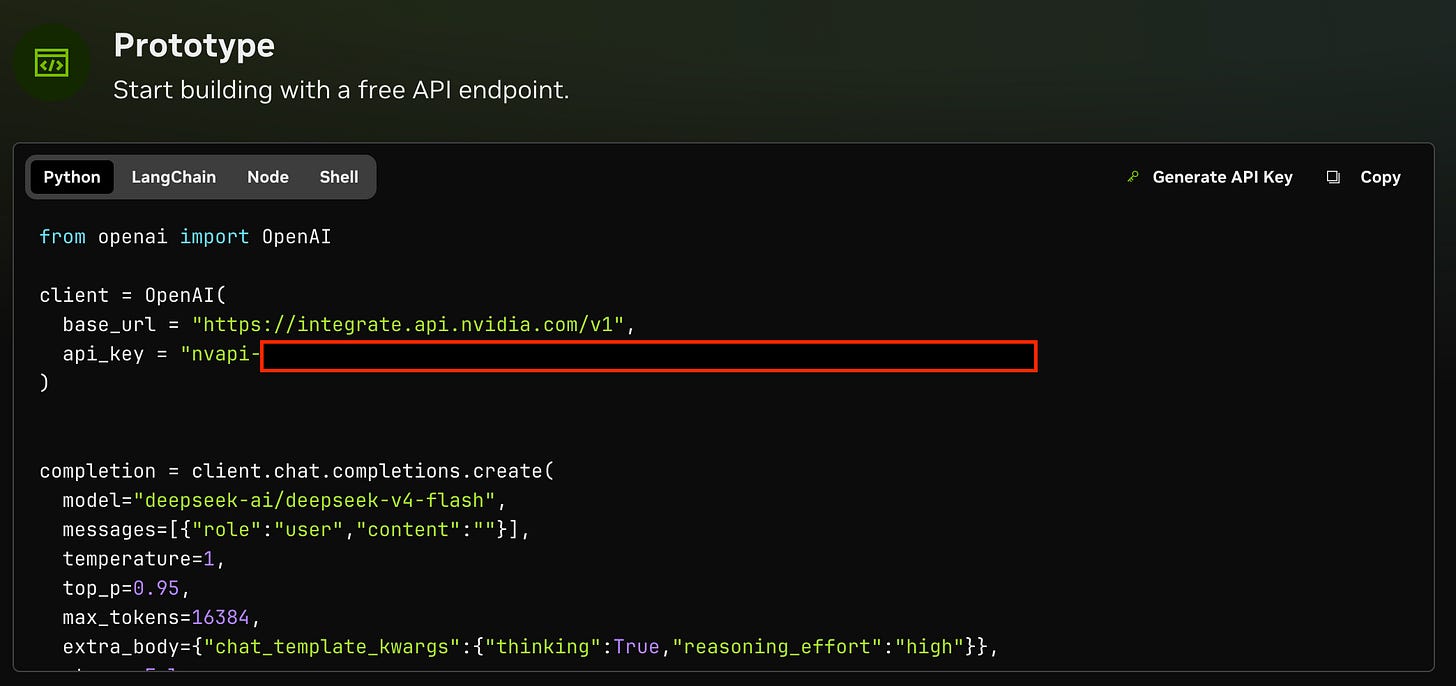
Generate an nvapi-key on the NVIDIA model page at build.nvidia.com; one key works across the free catalog. (screenshot by author)Set up NVIDIA in Hermes: Open the terminal inside the Hermes desktop app (or any terminal on your machine) and run:
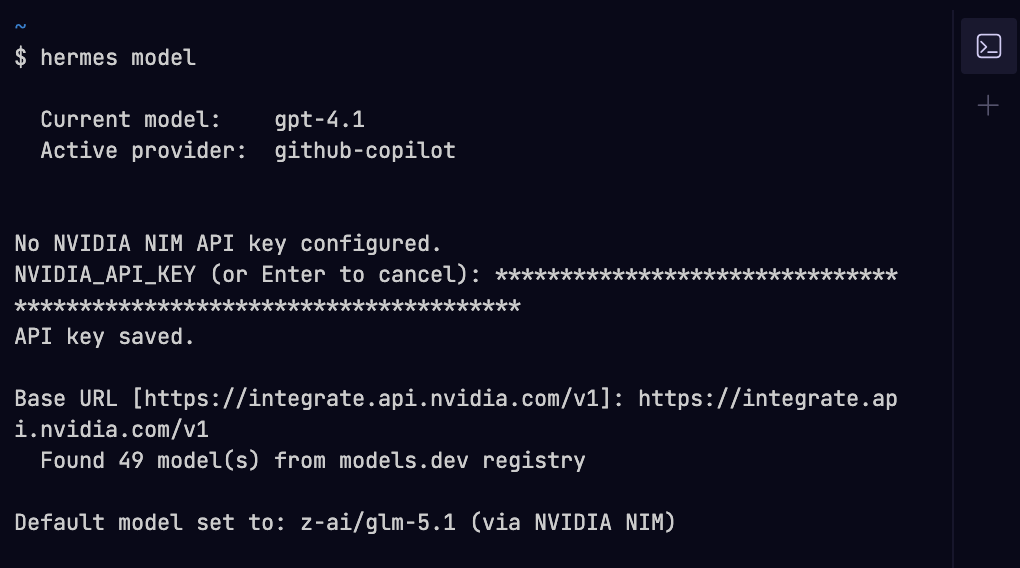
hermes modelSelect NVIDIA NIM from the provider list, and paste your
nvapi-…key and the default base URL (https://integrate.api.nvidia.com/v1) when prompted. Hermes will pull the model list (mine showed 49 options from the catalog).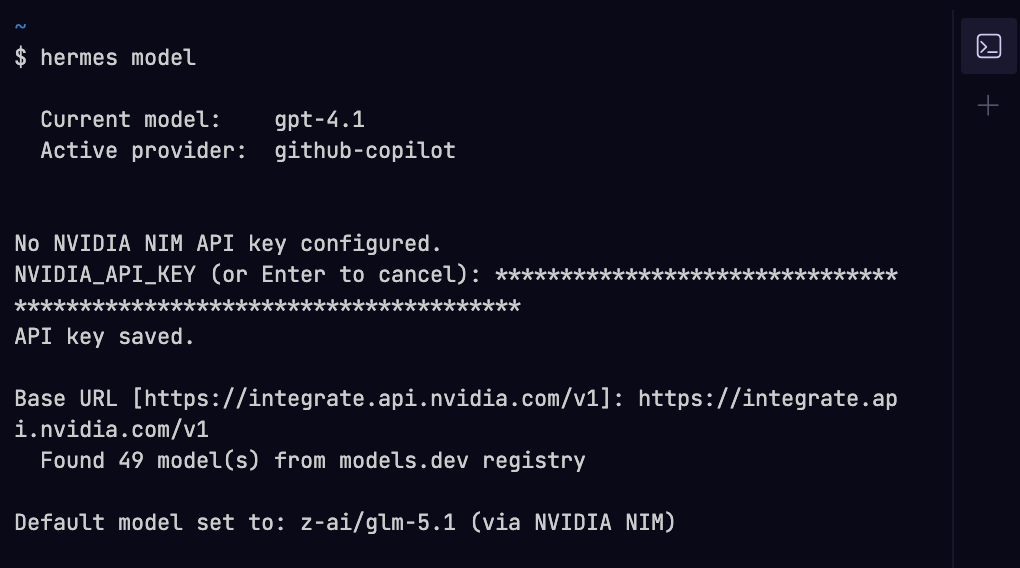
hermes modelin the Hermes desktop terminal: select NVIDIA NIM, paste the API key, accept the default base URL, pick a catalog model. (screenshot by author)
Pick your default model: In the same
hermes modelflow, choose a model. You can switch later from the model pill in the composer (left of the mic) or with/modelin an active chat.Enable tools: In the same terminal, set up web search:
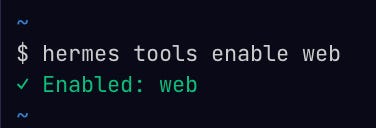
hermes tools enable web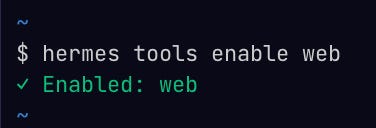
hermes tools enable webreturns✓ Enabled: web. (screenshot by author)
That’s it! I started with this stack: Hermes desktop + NVIDIA key + web search on.
Choosing a Model
The first model I picked was GLM-5.1 by Z.ai. It has strong tool-calling scores and built for long reasoning loops, so it seemed like the obvious first try for Hermes.
While the first query came back fast, I quickly started hitting API timeouts on Nvidia’s free API tier. GLM-5.1 emits long reasoning traces before it calls a tool, and a multi-step agent session eats through the free tier’s rate limit quickly.
So, I switched to a model with faster responses and less reasoning overhead per turn, DeepSeek V4 Flash.
NVIDIA hosts a large free model catalog. Check off the “free endpoint” option in the filters and choose the model that best fits your needs.
What It’s Good For (and What It Isn’t)
My honest verdict is that this setup is a good way to experiment, not necessarily a finished workflow I’d use in production for several reasons.
Inference drags on the free tier once Hermes starts chaining tools, because each tool call is another round trip to NVIDIA, and the prompt grows with every prior turn and tool result. I started burning through several API requests in a few minutes, and noticed the lag. It doesn’t show a “quota exceeded” message, but rather sessions stalled.
I’m still scratching the surface. Over the next few weeks I want to see whether Hermes can run more hands-off on a bounded task. I don’t know if NVIDIA free inference is enough for that, but for now it’s a $0 way to try out what the framework can do.
Are you using Hermes (or tried to)? Reply with what you’ve used it for, or what blockers you ran into.
Using Claude Code and fighting context drift? Upgrade to paid and get my .claude/ setup:

I tried openclaw and free groq api. Every requests got timed out. Rate limit reached. Will definitely try hermes and nvidia. Thank you