
Stop paying for every LLM: My $0 AI toolkit
From local LM Studio to cloud-based Hermes: How I keep building when Claude Code credits run out.

Note: AI Weekender has moved. New posts are published at ai-weekender.com, and this Substack is now an archive.
To keep receiving weekly issues, please subscribe at ai-weekender.com instead of here.
Last week Claude Code hit me with a usage-limit message, right after I had the repo loaded into context and had finally settled on an approach I wanted to execute. This usually happens near the end of a billing cycle.
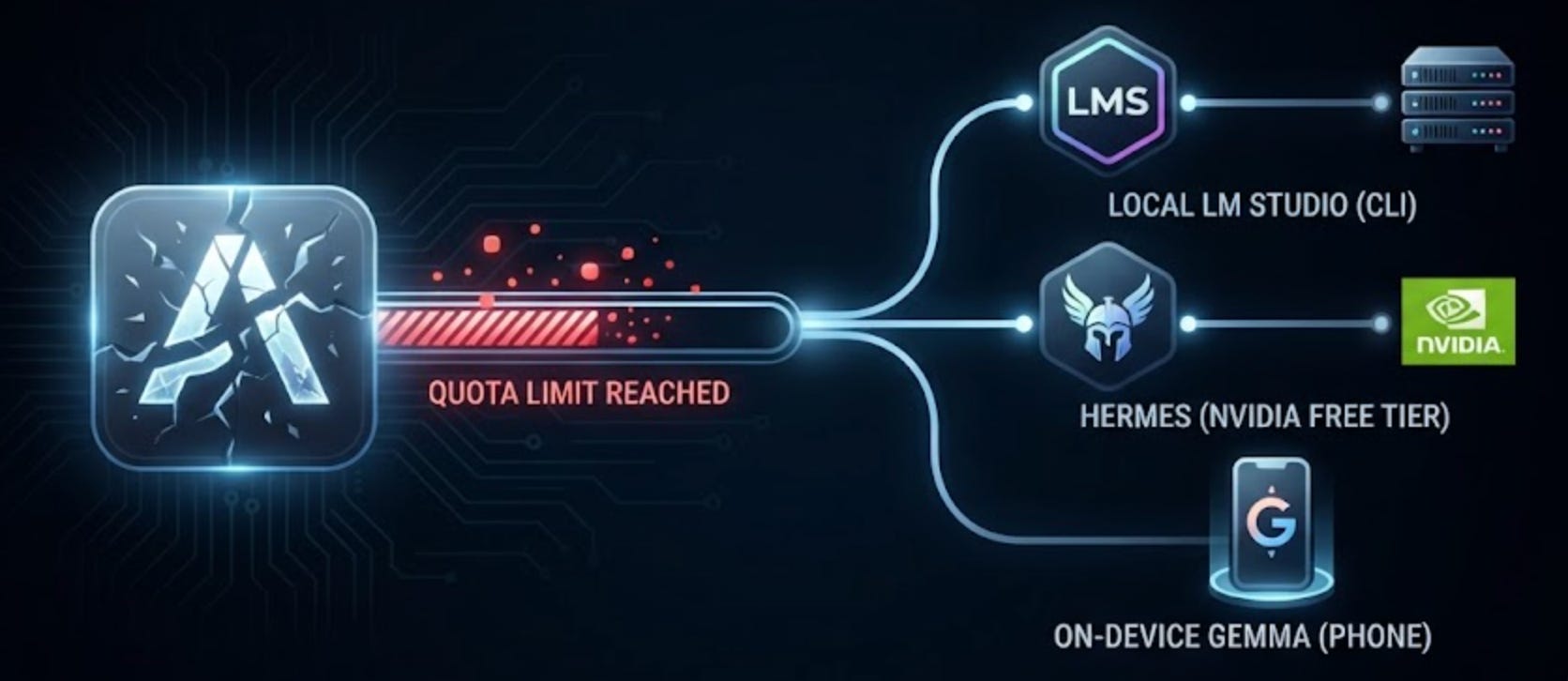
Instead of upgrading immediately, I’ve built a small overflow stack of three $0 setups. One keeps the same Claude Code CLI on local inference. while the other two are for research and drafting.
This post walks through when I use each setup and what their limitations are.
Local Claude Code on LM Studio
When I hit Claude Code’s monthly cap in the middle of a coding session, I open up LM Studio so I can keep the same CLI and project context while swapping the model used underneath.
I set environment variables to redirect Claude Code to LM Studio’s local API endpoint, which is serving an open-weight model on my Mac.
Locally run models are weaker, and the context window is too small for some tasks on my laptop. Some common limitations I’ve run into include:
Hitting context errors
Multi-step refactors that stall halfway through
Search-loops where the agent forgets it already searched a folder
When the window fills, I run /compact or restart the session.
Read more about the setup here:

Hermes + NVIDIA’s free API tier
I use Hermes when the task is research, planning, or light repo reads as reference. I can access it in two ways and both can use NVIDIA’s free API tier for $0:
At my desk: I open the Hermes desktop app so I can copy results into other apps easily.
Away from keyboard: I text my cloud Hermes agent on Telegram. I also have a weekly cron that messages me research results on the latest AI trends.
My biggest criticism has to do with the free setup, which is that the NVIDIA free API tier comes with rate limits that have led to stalled sessions. So, on the cloud setup, I’ve also wired an OpenAI API key with a $5 monthly cap as a fallback when NVIDIA’s free quota stalls.
Read more about my setups:


On-device Gemma on my phone
I use Google AI Edge Gallery to download and run Gemma, Google’s family of open-weight models, locally on my phone.
I use this when I’m drafting something confidential and/or when there is no internet connection.
A single prompt with Gemma usually takes about five to ten seconds, and the quality falls off after three or four turns, so this is the most limited of the three setups. But it’s usually good enough for drafting emails and messages, so I’ve used this more often than I expected to.

When I hit Claude Code’s usage limits, I use:
LM Studio + the same Claude Code CLI: when I’m coding and want to keep the same project context, I switch to an LLM served locally in LM Studio.
Hermes on NVIDIA’s free API tier: for research and light repo reads. I use the desktop app at my desk, and Telegram to access my Hermes agent on the cloud VM when I’m away from keyboard.
On-device Gemma in Google AI Edge Gallery: for tasks that need confidentiality and/or there’s no internet connection.
What do you do when you run out of tokens?
Note: AI Weekender has moved. New posts are published at ai-weekender.com, and this Substack is now an archive.
To keep receiving weekly issues, please subscribe at ai-weekender.com instead of here.
For more on Claude Code:

